
Why your choice of editor matters—and why it doesn't
After 15 years of professional .NET development, I've used virtually every major editor and IDE available—from Eclipse's crash-prone early days to modern AI-assisted tooling. This series shares what I've learned. Not which tool is "best," but how to think about tooling decisions in a way that actually helps you get work done.
Your editor choice is simultaneously important and irrelevant. Important because you'll spend thousands of hours working in one. Irrelevant because the code you produce matters far more than the tool you used to write it.
This series isn't about declaring a winner. I'm not here to convince you that my setup is objectively superior. Instead, this is a chronicle of my journey through the editor landscape—from difficult early experiences with Eclipse to my current approach where I use different tools for different contexts.
Why Write About Editors in 2026?
The landscape is genuinely interesting right now. We're in a transitional period where AI is changing how we write code, cloud-based development environments are becoming viable, and the traditional IDE versus editor distinction is blurring. At the same time, terminal-based editors from the 1970s are experiencing a renaissance among developers who want deeper control over their tools.
The tools we use shape how we think about problems. Visual Studio's project-centric view encourages certain architectural patterns. VS Code's file-based approach feels more lightweight and flexible. Neovim's modal editing changes how you think about text manipulation itself.
Understanding these tools—not just how to use them, but why they exist and what problems they solve—makes you a better developer. Not because mastering Vim motions will dramatically increase your productivity, but because it deepens your understanding of the craft.
What This Series Covers
Over the next several posts, I'll walk through the editors and IDEs that have shaped my development experience:
Part 1: From Eclipse to Visual Studio
My journey from Eclipse to Visual Studio, my current primary tool. A story of learning that sometimes the obvious choice is obvious for good reasons.
Part 2: Visual Studio Code
How Microsoft created the most popular code editor in the world, and why it deserves that position.
Part 3: The Alternatives
JetBrains Rider as a credible Visual Studio competitor, and Neovim as the terminal editor that rewards investment. When the mainstream options aren't quite right, where do you turn?
Part 4: What I Actually Use
The practical reality: what I use day-to-day and why. No theory—just guidance on which tool makes sense for which situations.
What You'll Get From This Series
Honest assessments of what each tool does well and where it falls short. I've used all of these in real projects, under real deadlines. This isn't a feature comparison chart—it's field experience.
Real-world usage scenarios instead of feature checklists. Anyone can list features. What matters is how they work together in practice when you're under pressure.
Context for understanding why different developers prefer different tools. The "best" editor depends on what you're building, who you're working with, and what your brain finds comfortable.
Guidance on when to reach for each option. I use different tools for different jobs, and I'll explain why. Different contexts have different needs.
What You Won't Get
Advocacy for any particular tool. I have preferences, but they're based on practical concerns, not tribal loyalty.
Claims that one editor is objectively best for everyone. Anyone making this claim hasn't worked on enough different types of projects.
Judgment about your choices. Use what makes you productive. The only wrong choice is one that makes you slower or more frustrated.
My Current Setup
For context, here's what I actually use today:
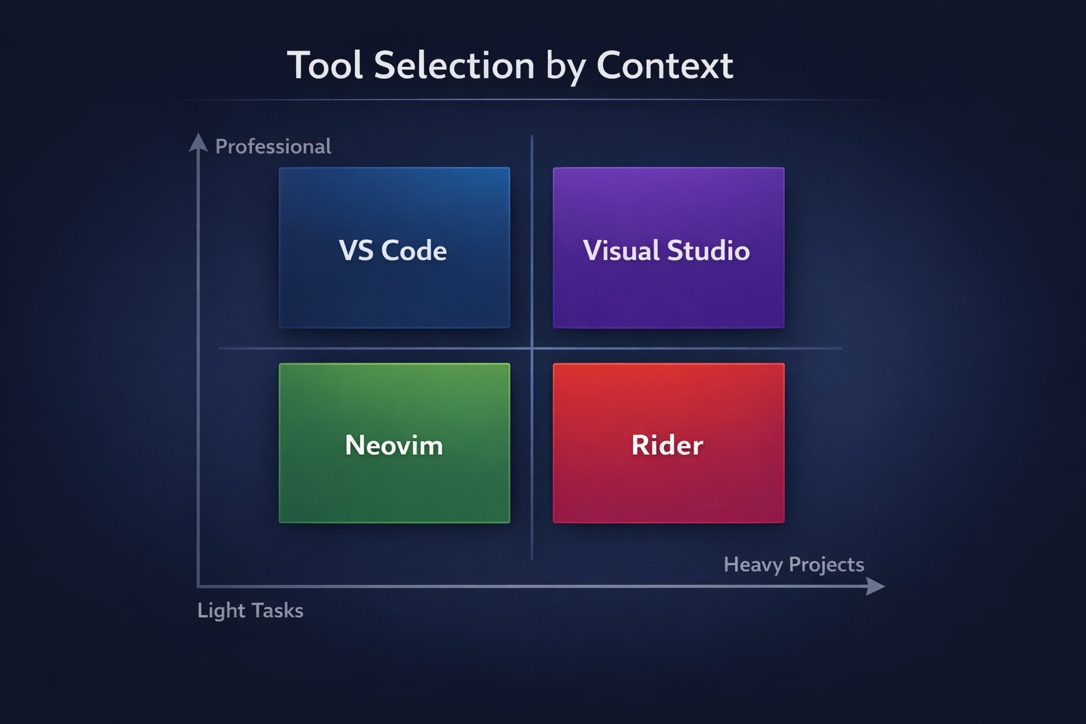
- Visual Studio for .NET work at my day job
- VS Code as a secondary tool for lighter work tasks
- Neovim for personal hobby projects
- JetBrains Rider occasionally, when I need cross-platform consistency
I have opinions, but I hold them loosely. Tools are tools. Use what works.
A Note on Perspective
I'm writing this as a .NET developer who occasionally does web work and tinkers with side projects. Your experience will vary based on your stack, your team, and your preferences. The goal isn't for you to copy my setup—it's for you to understand the tradeoffs so you can make informed decisions for your own context.
The editor landscape is changing faster than it has in decades, largely due to AI integration and cloud-based development. What's true today might shift significantly in a few years. Stay flexible.
Ready?
Over the next few posts, we'll explore each of these tools. I'll share what I've learned, what surprised me, what frustrated me, and what ultimately works. Whether you're starting out and overwhelmed by choices, or experienced but curious about what you might be missing, there should be something useful here.
Let's talk about editors.